eBook Formatting: How to Properly Indent Paragraphs in Microsoft Word for Amazon KDP
If you're preparing to self-publish a book on Amazon KDP, formatting matters more than you might think—especially when it comes to indenting your paragraphs.
In this quick tutorial, I’ll show you how to properly format paragraph indents in Microsoft Word so your manuscript looks clean, professional, and Kindle-ready.
 Watch the video tutorial below or follow the step-by-step instructions!

🚫 Why You Shouldn’t Use the Tab Key for Indents
Many authors still hit the Tab key at the beginning of each paragraph. While that works in a basic Word document, it's a big no-no for eBook formatting.
Here’s why:
-
Tab indents don’t always convert correctly to Kindle or other eReaders.
-
They can cause unpredictable formatting issues on different screen sizes.
-
They often lead to misaligned or awkward-looking paragraphs in the final ebook.
🔍 How to Remove All Tabs (The Fast Way)
If your document is full of tabbed indents, don’t worry—you don’t need to delete them one by one!
Here’s a shortcut to clean them all up:
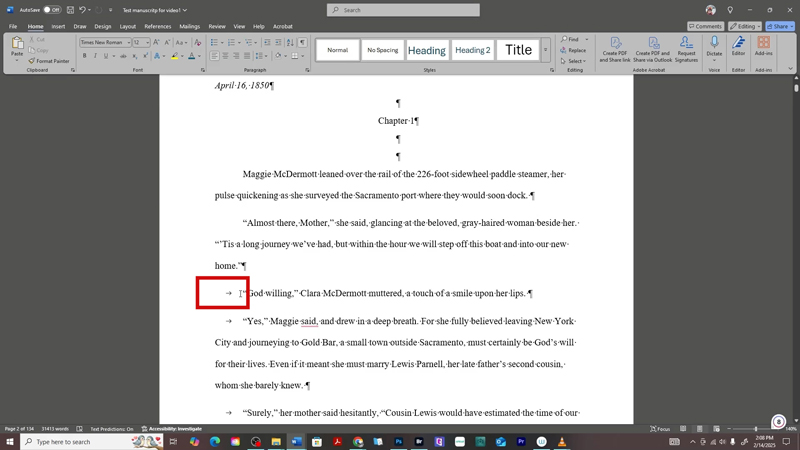
1. Press Ctrl + H to open the Find and Replace window.
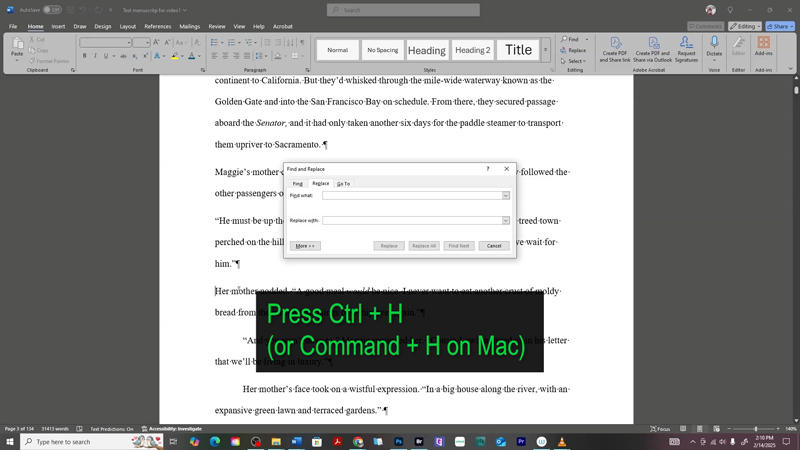
2. In the “Find what” box, type ^t
(That’s the caret symbol followed by the letter t—it represents a tab.)
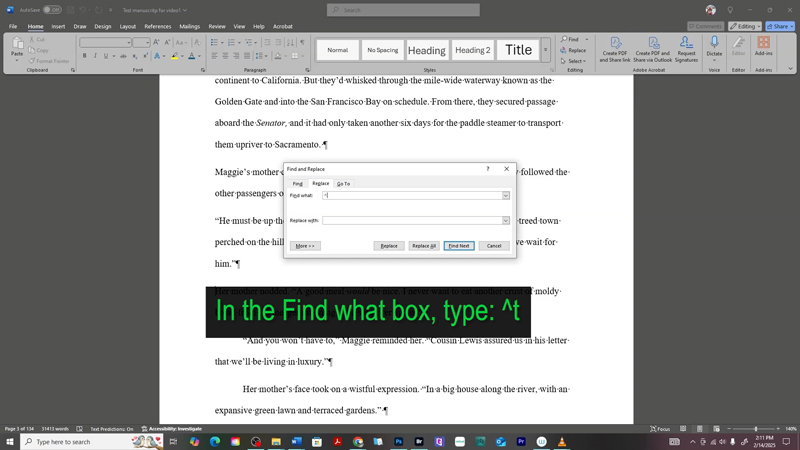
3. Leave the “Replace with” box empty.
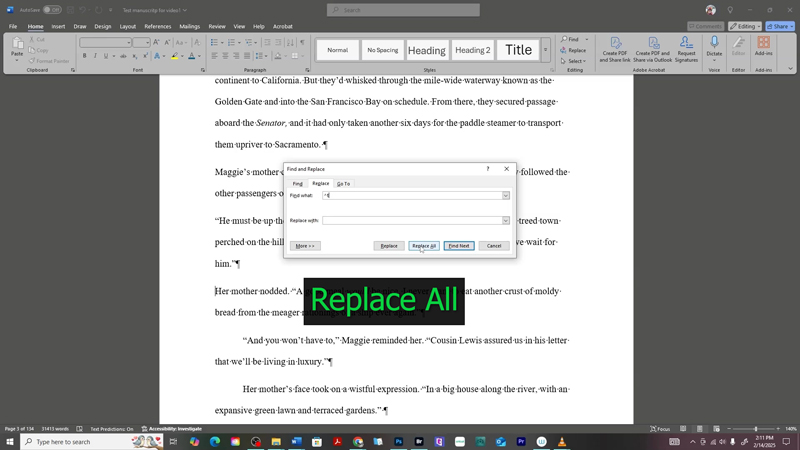
4. Click Replace All.
✅ Done! Word will instantly remove all the tab indentations from your manuscript.
✨ How to Apply Proper First-Line Indents
Once your tabs are removed, it’s time to apply industry-standard paragraph indents using Word’s formatting settings.
Here’s how:
1. Press Ctrl + A to select all text in your manuscript.
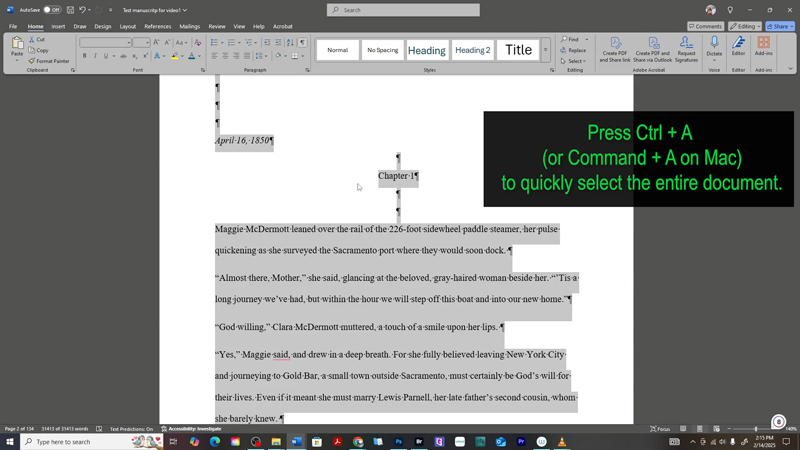
2. Right-click on the highlighted text and select Paragraph from the menu.
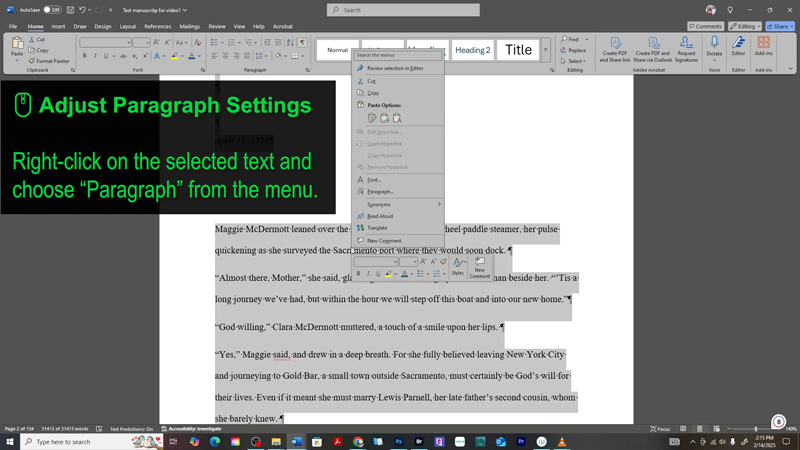
3. In the Paragraph settings box:
-
Alignment: Justified (optional, but recommended for eBooks)
-
Outline level: Body Text
-
Indentation:
-
Left: 0
-
Right: 0
-
Special: First line
-
By: 0.3" (this is the standard for fiction eBooks)
-
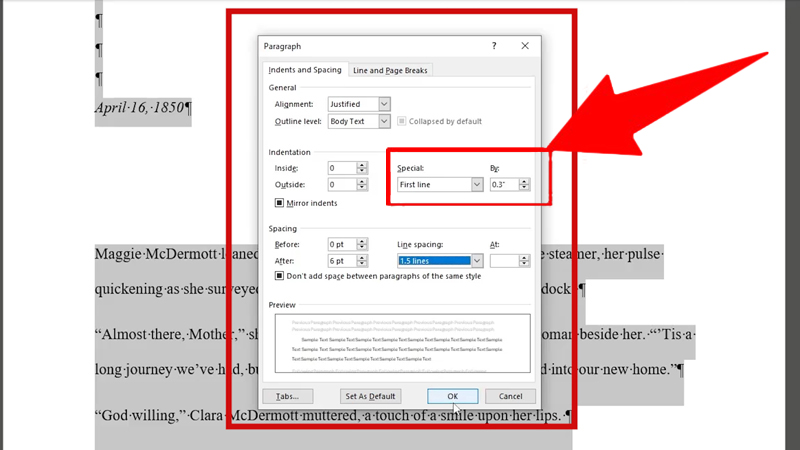
4. Click OK to apply.
That’s it! You’ve just properly formatted your paragraph indents the professional way.
 Why This Method Works for Amazon KDP
Using the “First Line” indentation setting ensures your formatting will display consistently across all Kindle devices and apps. It's one of the most important steps you can take to polish your manuscript before uploading to KDP.
Whether you're writing fiction or nonfiction, proper formatting goes a long way in keeping readers engaged—and avoiding poor reviews due to sloppy layout.
Questions About Formatting eBooks?
Got a question about Microsoft Word, Amazon KDP formatting, or anything else related to self-publishing? Drop it in the comments below—I’m happy to help!
Other Posts You May Like:


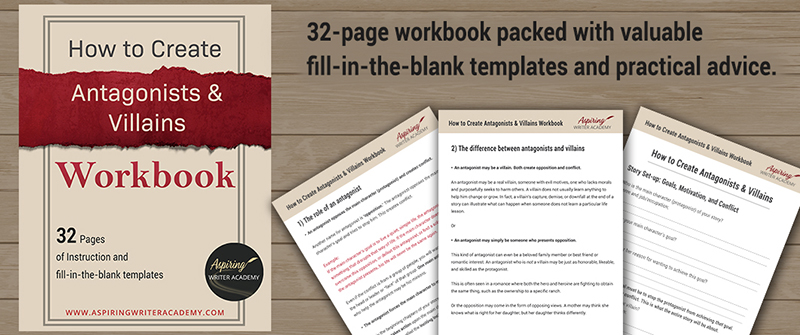
Do you find it difficult to create compelling antagonists and villains for your stories? Do your villains feel cartoonish and unbelievable? Do they lack motivation or a specific game plan? Discover the secrets to crafting villains that will stick with your readers long after they finish your story, with our How to Create Antagonists & Villains Workbook.
This 32-page instructional workbook is packed with valuable fill-in-the-blank templates and practical advice to help you create memorable and effective antagonists and villains. Whether you're a seasoned writer or just starting out, this workbook will take your writing to the next level.
We Believe All Authors Can Aspire to Take Their Writing to the Next Level!
Our Goal for Aspiring Writer Academy is to help people learn how to write quality fiction, teach them to publish and promote their work, and to give them the necessary tools to pursue a writing career.
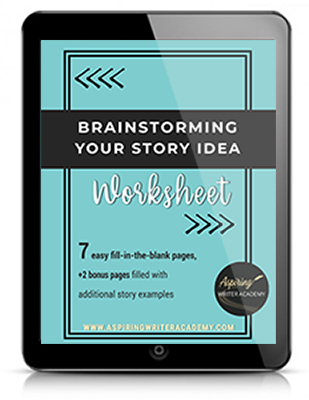
ENTER YOUR EMAIL BELOW
TO GET YOUR FREE
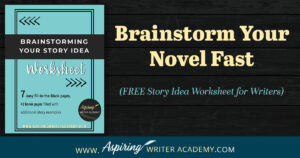
"Brainstorming Your Story Idea Worksheet"
7 easy fill-in-the-blank pages,
+ 2 bonus pages filled with additional story examples.
A valuable tool to develop story plots again and again.
Other Blog Posts You May Like
Scene & Sequel: The Secret to Plotting an Epic Novel
Scene & Sequel: The Secret to Plotting an Epic Novel (Part 2)
Writing Fiction: How to Develop Your Story Premise
12 Quick Tips to Write Dazzling Dialogue
10 Questions to Ask When Creating Characters for Your Story
Macro Edits: Looking at Your Story as a Whole
Basic Story Structure: How to Plot in 6 Steps
Writing Fiction: How To Keep Track of Time in Your Story
Behind the Scenes: Interview with the Authors of the “Sew in Love” Collection

Samantha Panzera is an adventurous travel blogger, graphic designer, and multi-media business entrepreneur who uses the experience she’s gained over the years to teach aspiring writers the skills they need to build an author platform and take their careers to the next level.