How to Format a Copyright Page for Your Book (Amazon KDP Tutorial)



If you’re getting ready to publish your paperback on Amazon KDP, one of the most important pages in your front matter is your copyright page. This page tells readers who owns the rights to the book, how it can be used, where to send permission requests, and key publishing details like your ISBN.
If you’ve never created one before, don’t worry—I’ll walk you through everything you need and show you exactly how to put it together inside the Amazon KDP print book template using Microsoft Word.

Disclaimer:
This post shares general formatting guidance based on Amazon KDP standards and common publishing practices. It isn’t legal advice, and copyright rules can vary depending on your situation and location. For specific legal questions about your book, copyright ownership, or permissions, consult a qualified legal professional.
What Is a Copyright Page?
Your copyright page is normally found on the back of the title page in a print book. It includes:
-
Who owns the copyright
-
The publication year(s)
-
ISBN numbers
-
Publisher or imprint information
-
Contact information for permissions
-
Printing or edition details
-
“All Rights Reserved” legal text
It’s also where you note if your book has been previously published or released under a different edition.
What to Include on a Copyright Page (Everything You Need)
Here’s a checklist of all the standard elements:
✓ Book Title & Author Name
Usually repeated at the top.
✓ Publisher / Imprint Name
This can be your name, your business name, or your self-publishing imprint.
✓ Mailing Address
P.O. Box is perfect if you want privacy.
✓ Website or Email
A place readers or rights managers can contact you.
✓ Copyright Statement and Year(s)
If this is your first release, use the current year.
If it’s a reprint, use the original year and the new copyright year.
✓ “All Rights Reserved” Legal Notice
This covers your protection under copyright law.
✓ Rights & Permissions Contact Info
Examples: your email, website contact page, OR your literary agent if applicable.
✓ Edition Notes
Include details like:
-
First edition published in 2020
-
Second edition published in 2025
-
Previously published under a different title
✓ ISBN Numbers
Print ISBN
Ebook ISBN
Audiobook ISBN (optional)
Tip: You can purchase ISBNs through Bowker (recommended), or use Amazon’s free ASIN (for eBooks) or free ISBN for print. Purchased ISBNs give you more publishing flexibility.
✓ Fiction Disclaimer (if applicable)
Example:
“This is a work of fiction. Any resemblance to actual persons…”
Start With the Correct Amazon KDP Manuscript Template
If you’re formatting your book in Microsoft Word, and are completly new to formatting a book using a Amazon KDP Template Can Help you quickly get your book set up the correct way.
KDP templates fix all that because they include:
-
Correct trim size
-
Proper margins + gutter
-
Alternating left/right pages
-
Section breaks already in place
-
Headers/footers formatted correctly for paperbacks
Basically, they save you hours of frustration and make your final print copy look clean.
How to Download the Official Amazon KDP Template (Step-by-Step)
Here’s exactly how to grab the correct one:
1. Visit the Amazon KDP Template Page
Link: https://kdp.amazon.com/en_US/help/topic/G201834230?
Go to the official page where all templates live:
Paperback & Hardcover Manuscript Templates
(KDP Help → “Manuscript Templates”)
2. Choose Your Trim Size
Pick the trim size you want for your paperback (5×8, 5.5×8.5, 6×9, etc.).
If you’re not sure, 6×9 is the standard size for many self-published fiction and many nonfiction books.
3. Select the Template Style
You’ll see two choices:
-
Blank Template — clean, empty layout with correct margins
-
Formatted Template — includes placeholder chapters you can overwrite
If you’re doing your own chapter formatting or front matter, the blank template is perfect.
4. Download and Unzip the File
Inside, you’ll find a .docx Word file and a quick instructions PDF.
Open the Word file as-is — don’t adjust margins yet. Everything is already set correctly for KDP print.
Before the Copyright Page: Front Matter Order
Here’s the typical order your front matter should follow:
-
Title Page
-
Copyright Page
-
Dedication (optional)
-
Table of Contents (if using one)
-
Foreword / Preface (if you have them)
Your copyright page always goes on the back of the title page, which is the verso (left-hand page).
Once your template is ready, follow these steps:
Step 1: Copy Your Copyright Text Into the Template
Open your manuscript file and copy your copyright page content.
Inside your KDP template, go to the Copyright Page placeholder and paste using:
Right-click → “Use Destination Theme”
This keeps fonts and layout consistent.
Step 2: Apply Clean Paragraph Formatting
Still inside the template:
-
Highlight all your copyright text.
-
Go to Paragraph Settings.
-
Set:
-
Alignment: Left
-
Outline level: Body Text
-
Indentation Left: 0 pt
-
indentation Right: 0 pt
-
Line Spacing: Single
-
Spacing Before: 0 pt
-
Spacing After: 6 pt
-
Special Indent: None
-
Click OK.
This ensures your copyright block looks clean and professional.
Step 3: Clean Up Hidden Formatting
Turn on formatting marks (¶) so you can see:
-
Extra paragraph breaks
-
Unnecessary tabs
-
Accidental blank lines
Delete any stray returns to keep the page tight and tidy.
Step 4: Add Your ISBN (Don’t Forget!)
If you don’t have your ISBN yet, leave a placeholder.
You must add it before you upload your manuscript to KDP.
Sample Copyright Page (Real Example)
Below is the finished copyright page from Golden Horizons by Darlene Panzera, formatted inside the Amazon KDP template:
Golden Horizons
By Darlene Panzera
Published by Darlene Panzera
P.O. Box 1876
Belfair, WA 98528
https://darlenepanzera.com
Copyright © 2019, 2025 Darlene Panzera
All Rights Reserved
All rights reserved. No part of this publication may be reproduced, distributed, or transmitted in any form or by any means, including photocopying, recording, or other electronic or mechanical methods, without the prior written permission of the publisher, except in the case of brief quotations embodied in critical reviews and certain other noncommercial uses permitted by copyright law. For permission requests, contact: darlenepanzera@darlenepanzera.com
or https://darlenepanzera.com/contact/
Published 2025
First edition published in 2019 as Hearts Sewn with Love in the Sew in Love anthology by Barbour Books.
Second edition published in 2025 as Golden Horizons.
Cover Design Copyright © 2025 by Samantha Panzera
ISBN-13: 979-8992649536
Printed in the United States of America
This is a work of fiction. Names, characters, places, and incidents either are the product of the author’s imagination or are used fictitiously. Any resemblance to actual persons, living or dead, events, or locales is entirely coincidental.
Copyright Page Template (Copy & Paste for Your Own Book)
You’re welcome to use this template for your paperback or ebook copyright page:
[Book Title]
By [Author Name]
Published by [Publisher / Imprint Name]
[Mailing Address or City, State]
https://yourwebsite.com
Copyright © [Year(s)] [Author or Copyright Holder Name]
All Rights Reserved
All rights reserved. No part of this publication may be reproduced, distributed, or transmitted in any form or by any means, including photocopying, recording, or other electronic or mechanical methods, without the prior written permission of the publisher, except in the case of brief quotations embodied in critical reviews and certain other noncommercial uses permitted by copyright law.
For permission requests, contact: [email@example.com]
or https://yourwebsite.com/contact
Published [Year]
First edition published in [Year] by [Original Publisher]
[Additional edition or printing notes]
Cover Design Copyright © [Year] by [Designer Name]
Edited by [Editor Name] • Illustrations by [Illustrator Name]
Print ISBN: [insert number]
Ebook ISBN: [insert number]
Audiobook ISBN: [insert number]
ASIN: [Amazon ASIN]
AISN: [AISN if applicable]
Printed in [Country]
This is a work of [fiction/nonfiction].
[For fiction: Names, characters, places, and incidents either are the product of the author’s imagination or are used fictitiously. Any resemblance to actual persons, living or dead, events, or locales is entirely coincidental.]
Template created for authors. Replace bracketed items with your book’s details.
Final Tips for a Professional Copyright Page
-
Keep the page minimal—avoid fancy fonts or decorative elements.
-
Always check spacing after pasting into the KDP template.
-
Make sure your ISBN matches the edition you’re publishing.
-
Double-check your contact information and URLs.
-
Remember: anyone reading this page is looking for legal info or rights permissions, not decoration.
We Believe All Authors Can Aspire to Take Their Writing to the Next Level!
Our Goal for Aspiring Writer Academy is to help people learn how to write quality fiction, teach them to publish and promote their work, and to give them the necessary tools to pursue a writing career.
Before You Go… Grab This Free Resource!
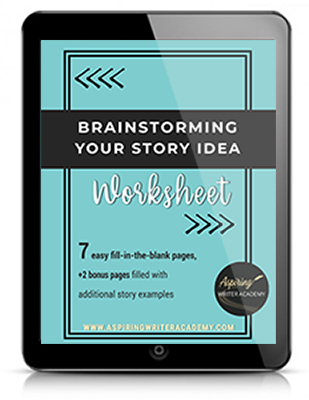
If you’re in the early stages of writing your novel, don’t forget to download our free Brainstorming Your Story Idea Worksheet. It includes:
-
Fill-in-the-blank prompts
-
Story structure examples
-
Guided questions
-
Idea-boosting templates
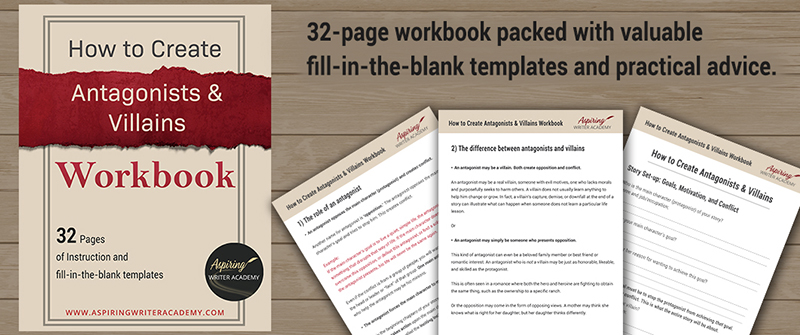
Do you find it difficult to create compelling antagonists and villains for your stories? Do your villains feel cartoonish and unbelievable? Do they lack motivation or a specific game plan? Discover the secrets to crafting villains that will stick with your readers long after they finish your story, with our How to Create Antagonists & Villains Workbook.
This 32-page instructional workbook is packed with valuable fill-in-the-blank templates and practical advice to help you create memorable and effective antagonists and villains. Whether you're a seasoned writer or just starting out, this workbook will take your writing to the next level.
Other Posts You May Like: