Self-Publishing gives you the freedom to bring your book to life on your own terms, and this section is here to guide you every step of the way. From formatting and cover design to distribution and marketing, you’ll find expert guidance to help your book stand out. Learn how to navigate platforms like Amazon KDP, IngramSpark, and Draft2Digital, set competitive pricing, and grow a loyal readership. Whether you’re launching your first book or refining your publishing strategy, these resources will help you publish with confidence—whether in eBook, paperback, or audiobook format.
Blog Tours for Authors: What They Are & How to Use Them for Your Book Launch
If you’re getting ready to launch a book, you’ve probably heard people mention blog tours as a marketing strategy. But what exactly is a blog tour… and is it actually worth your time? In this post, we’re breaking down what blog tours are, how they work, and how you can use them to promote your…

Why Book Reviews Matter (and How to Get More for Your Book)
If you’re an author, book reviews aren’t just “nice to have”-they’re one of the most powerful tools you have to sell more books, grow your audience, and build credibility. In this post, we’re breaking down: Why book reviews matter How to get more reviews (even as a new author) How to handle negative reviews…
Can Your Print Book Be Wide While Your Ebook Is in KDP Select?
If you’re an indie author, you’ve probably heard about KDP Select and wondered how it affects your print books. A common question I get is: “Can I enroll my ebook in KDP Select but still have my print book available wide through distributors like IngramSpark?” The short answer is: yes! And in this post, I’ll…
How to Format Your Paperback in Word: Paragraph Indents and Spacing (KDP Tutorial)
When you’re formatting a paperback for Amazon KDP, paragraph indents and spacing matter more than most new authors realize. Even if your manuscript reads beautifully, inconsistent spacing or incorrect indents can instantly make a book look amateur in print. The good news? You don’t need expensive software to fix this. You can format your paperback…
How to Add Extra Chapters to the Amazon KDP Paperback Book Template
If you’ve ever tried formatting your paperback for Amazon KDP using one of their Microsoft Word templates, you’ve probably run into that moment-the one where you add a new chapter and suddenly your headers go weird, your page numbers vanish, or your whole layout looks weird. Trust me, you’re not alone. I’ve had so many…

How to Format Your Print Book in Microsoft Word Using Amazon KDP Templates
Formatting your book for print can feel overwhelming-but it doesn’t have to be! Amazon KDP offers free Word templates that make the process of formatting your book to self-publish much smoother. In this step-by-step guide, I’ll walk you through exactly how to take your manuscript and polish it into a professional print-ready file using Microsoft…
Amazon KDP Formatting: How to Delete Tabs in Word for a Clean Manuscript
If you’re self-publishing on Amazon KDP, formatting your manuscript correctly is a big deal. One common issue that trips up new authors? Using the Tab key to indent paragraphs. While tabs might look fine in a regular Word document, they can cause major problems when your book is converted to Kindle format. Weird spacing, uneven…
Bleed vs. No Bleed in Amazon KDP | Book Formatting Explained for Authors
If you’re self-publishing on Amazon KDP, you’ve probably run into the question: Should I choose bleed or no bleed when uploading my book? This is one of those little details that can cause big formatting issues if you don’t select the right option. Don’t worry-I’ll break it down simply so you can choose confidently and…
eBook Formatting in Microsoft Word: How to Style Your Manuscript with Proper Indents, Spacing, and Fonts for KDP
Formatting your manuscript properly is a crucial step before self-publishing on Amazon KDP. If you skip this part or do it incorrectly, your ebook might end up looking messy and unprofessional-which can lead to negative reviews and lost sales. The good news? You can easily style your manuscript in Microsoft Word to get it Kindle-ready.…
Why Fiction Authors Need to Order Proof Copies Before Publishing
Before hitting ‘publish’ on Amazon, it’s crucial to review a proof copy of your self-published book. This sample helps you catch any issues with the cover or interior pages, ensuring everything looks perfect for your readers. In this post, Why Fiction Authors Need to Order Proof Copies Before Publishing, we’ll explore the essential checks to make…
How To Clean Up All Markup And Comments In Word Before Uploading To Amazon KDP
Publishing your eBook to Amazon KDP? Before you click that final upload button, there’s one important cleanup step you don’t want to skip-removing all the leftover markup, comments, and tracked changes from your Word document. Whether you’ve worked with an editor, shared your manuscript with beta readers, or just used Word’s Track Changes feature yourself,…
eBook Formatting: How to Properly Indent Paragraphs in Microsoft Word for Amazon KDP
If you’re preparing to self-publish a book on Amazon KDP, formatting matters more than you might think-especially when it comes to indenting your paragraphs. In this quick tutorial, I’ll show you how to properly format paragraph indents in Microsoft Word so your manuscript looks clean, professional, and Kindle-ready. Watch the video tutorial below or follow…
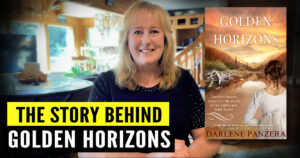
From Idea to Novella, the Inspiration Behind Writing, Golden Horizons | Author Chat with Darlene Panzera
Go behind the scenes and learn how award-winning author, Darlene Panzera, developed her Christian historical romance novella, Golden Horizons-from initial spark to completed manuscript. This post is especially for fellow writers and aspiring authors who want to see how a published novella comes together. We’ll cover idea development, collaborative proposals, character building, historical research, adding…
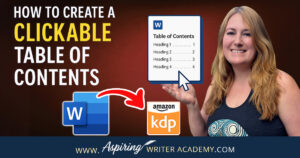
How to Create a Clickable Table of Contents in Microsoft Word for Self-Publishing Your eBook
📚 Self-publishing an eBook on Amazon KDP? A clickable Table of Contents is a must-have! It improves navigation, boosts your book’s professionalism, and meets KDP formatting standards. In this step-by-step guide, I’ll show you exactly how to create a clickable TOC in Microsoft Word—no tech skills needed. Learn how to format headings, insert your TOC, and update it as you edit. Make your book shine! ✨
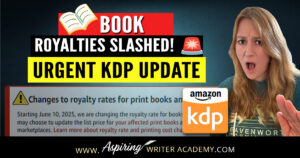
BREAKING: Amazon KDP Just SLASHED Royalties — Fiction Writers, Here’s What You Need to Know NOW
If you publish fiction through Amazon KDP, there’s a major update you can’t afford to ignore. Starting June 10, 2025, Amazon is changing the royalty structure for print books – and for many authors, it’s not good news. In this post, I’ll cover exactly what’s happening, what it means for your books, and how to…
How to Format Your Ebook in Microsoft Word for Amazon KDP (Step-by-Step Guide)
Getting your ebook ready for Amazon KDP doesn’t have to be overwhelming-especially if you’re using Microsoft Word. Whether you’re a first-time author or just need a refresher, this step-by-step guide will walk you through everything you need to know to format a clean, professional-looking ebook that’s Kindle-ready. From setting margins and font styles to creating…
Best Podcasts for Writers Who Want To Advance Their Writing Career
Podcasts are one of the best ways writers can learn on the go. In this blog post Best Podcasts for Writers Who Want to Advance Their Writing Career I have collected some of my top podcast recommendations aimed at inspiring, motivating, and helping authors improve their writing, and marketing skills.
The beauty of podcasts is that you can listen to them while driving, doing the laundry, or going on a walk. You can squeeze in learning while you are doing other tasks that you have to do

How to Get Your Book into Libraries and Bookstores: Amazon KDP vs. IngramSpark
Getting your book into libraries and bookstores is a major milestone for many authors. It expands your reach beyond online sales and helps establish credibility in the publishing world. However, navigating the options for self-publishing platforms can be tricky. Amazon KDP and IngramSpark are two of the most popular choices, but which one is best…

Amazon KDP vs. IngramSpark: Which Self-Publishing Platform Is Right for Your Book?
You’ve written your first novel-congrats! Now comes the million-dollar question: Where should you publish it? In this post, we’ll compare two of the top leading self-publishing platforms, Amazon KDP and IngramSpark, to help you find the best fit. These self-publishing giants each have their strengths, and deciding can feel like choosing between plot twists. Relax-this…
What’s The Difference Between Amazon KDP And KDP Select? Everything Authors Need to Know
KDP vs. KDP Select—What’s the Difference? 🌟 This detailed guide walks authors through exclusivity rules, marketing tools, and royalty benefits. Make the best choice for your self-publishing career! #AmazonAuthors #KDPTips #IndieWriterCommunity #PublishingTips #BookPromotion
Amazon A+ Content for Authors: What It Is and How to Get Started
Boost your book’s Amazon page with A+ Content! 📈 Learn what A+ Content is, why it’s a game-changer for authors, and how to set it up step-by-step. From custom images to comparison charts, discover ways to make your book stand out and engage readers. Whether you’re a self-published author or working through KDP, this guide has everything you need to get started. #AmazonAPlusContent #KDP #BookMarketing #SelfPublishing
Step-by-Step Guide: How To Make Your Book Free on Amazon KDP
Want to make your book free on Amazon KDP and reach more readers? 📚 Whether you’re a new author or looking to boost your visibility, this step-by-step guide has you covered! Learn how to set up a free book promotion and use KDP’s tools to grow your author career. Perfect for anyone aiming to attract new fans or spread the word about their latest release. Check out the full guide and get your book in front of more readers! #KDP #bookmarketing #AuthorLife #WritingCommunity