Not a tech expert? No worries! This section is designed for writers who want straightforward, no-nonsense advice on making technology work for them. Learn the best ways to back up your work so you never lose a manuscript, optimize your computer for peak writing performance, and troubleshoot common tech issues without frustration. Whether you're struggling with slow software, formatting headaches, or figuring out how to use new tools, this page has easy-to-follow guides to help you master the tech side of writing with confidence.
How to Easily Make a YouTube Banner in Canva for Free
Have you just created a YouTube Channel for your author platform? If you answered yes, you are going to want a beautiful eye-catching banner to give your page a professional look. First impressions matter and having a professional-looking YouTube Channel can only help you grow your author platform. In this blog post, we will show you How to Easily Make a YouTube Banner in Canva for Free. Canva is a fantastic simple-to-use tool that any writer will love because you do not need any graphic design skills to create stunning graphics. It is also 100% free to use.
How to Make a YouTube Banner (Adobe Photoshop Channel Art Tutorial with Free Template)
A YouTube banner is one of the first things people see when clicking on your YouTube Channel. Having professional-looking channel art gives your audience a fast visual view of who you are. If you have tacky/cheap-looking channel art, people will perceive your channel to be tacky/cheap. If your channel art looks professional, they will look at your account more seriously. Whatever theme you want to convey, just like a book cover, you just have a few precious seconds to grab your audience’s attention. In this blog post, we will be going over How to Make a YouTube Banner (Adobe Photoshop Channel Art Tutorial with Free Template).
How to Create Bookmarks for GotPrint in Adobe Photoshop
Do you want to create bookmarks for your new upcoming book release and have no idea how to start? Perhaps you do not have enough money to hire a graphic designer and you would like to learn the skills to create your own bookmarks? In our Video How to Create Bookmarks for GotPrint in Adobe…
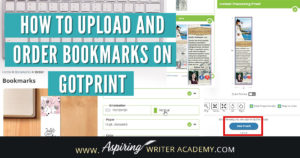
How to Upload and Order Bookmarks on GotPrint
If you or a graphic designer have created bookmarks for your new upcoming book release, you may now be wondering How to Upload and Order Bookmarks on GotPrint. In this step-by-step tutorial, we cover how to upload your graphics, make sure that everything is within the margins, and discuss what are the best settings to choose when creating your bookmark.
How To Create a YouTube Channel To Promote Your Writing
Creating a YouTube Channel gives you a spot on the internet to post videos of your book trailers, live author events, and Q&A author chats.
Maybe you feel stuck on the technological side of things and need some help creating a professional YouTube account for your Author Platform. This blog post covers the nitty-gritty step-by-step details on How To Create a YouTube channel To Promote Your Writing.
How To Create A Google Account For Your Author Platform
Creating a Professional Google Account for your Author Platform is important to any author who wants to pursue a serious writing career.
How to Create and Set-Up a Professional Author Page On Facebook
This step-by-step tutorial shows aspiring writers how to create and set-up a professional author page on Facebook. Learn how to edit your ‘About’ section, link your page to your website, upload your profile picture and timeline cover, how to invite others to like your page, and so much more. Create Your Page First, you will…
- « Previous
- 1
- 2