How to List Your Book in a Goodreads Giveaway (Step-by-Step for Authors)

Running a Goodreads giveaway is one of the easiest ways to get your book in front of new readers—especially readers who already love discovering new books. While Goodreads giveaways aren’t a magic switch for instant sales, they can help boost visibility, add your book to readers’ shelves, and build early buzz.
In this post, you’ll learn exactly how to list your book in a Goodreads giveaway, including where to write your giveaway description, what to include in it, and a few things authors should know before clicking submit.

What Is a Goodreads Giveaway?
A Goodreads giveaway allows authors and publishers to offer free copies of their book (print or Kindle) to Goodreads users. Readers enter the giveaway, and Goodreads randomly selects the winners when the giveaway ends.
Even readers who don’t win often add your book to their Want to Read shelf—which is one of the biggest benefits of running a giveaway.
Before You Start: What You’ll Need
Before setting up your giveaway, make sure you have the following ready:
- A claimed Goodreads Author profile
- Your book listed on Goodreads
- An ISBN (required for print giveaways)
- A published or upcoming book
- A small marketing budget (Goodreads giveaways are paid)
Tip: Goodreads giveaways work best when your book has a polished cover and a clear description. This isn’t the place for a placeholder.
Step 1: Go to the Goodreads Giveaways Page
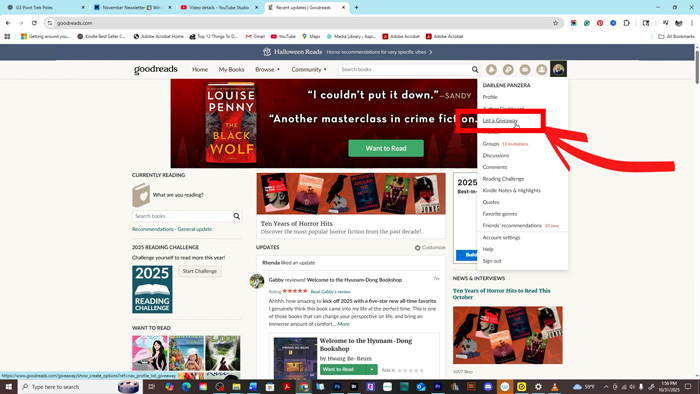
Log in to your Goodreads account and make sure you’re viewing your Author profile. Hover over your profile photo in the top navigation to open the drop-down menu, then select List a Giveaway.
If you’ve already claimed your Author profile, Goodreads will automatically recognize you as eligible to run a giveaway and guide you through the setup process.
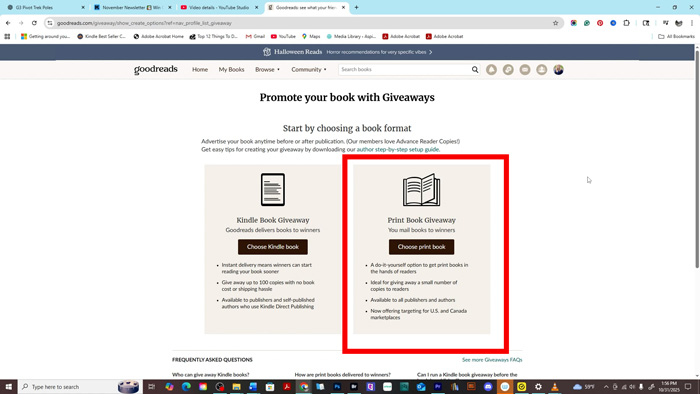
Step 2: Choose Your Giveaway Format
Goodreads currently offers two main giveaway options:
Print Book Giveaway
- You provide physical copies
- Winners receive mailed books
- Typically higher engagement
- Requires ISBN and shipping costs
Kindle eBook Giveaway
- Delivered digitally
- No shipping required
- Lower cost and easier setup
- Available in select regions
Choose the option that best fits your budget and marketing goals.
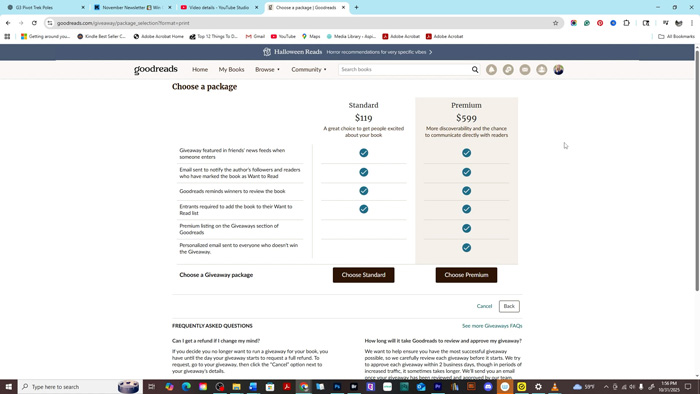
Next Goodreads will prompt you to choose a package. There are two main options: Standard and Premium. Here’s a clear breakdown of what each includes:
Standard Package – $119
- Giveaway featured in friends’ news feeds when someone enters
- Email notification sent to your followers and readers who have marked your book as Want to Read
- Goodreads reminds winners to review your book
- Entrants are required to add the book to their Want to Read list
- Great for first-time giveaways or smaller budgets
Premium Package – $599
- Includes all Standard features, plus:
- Premium placement on the Giveaways section of Goodreads
- Personalized email sent to everyone who does not win the giveaway
- More discoverability and higher visibility to potential readers
- Ideal for authors who want maximum reach and engagement
How to Decide:
- Choose Standard if this is your first giveaway or you have a limited budget.
- Choose Premium if you want enhanced visibility, more promotional features, and a larger audience impact.
Pro Tip: Think of the package as an investment in exposure. Standard is solid for building your initial audience, while Premium offers extra tools for connecting with readers directly and boosting your book’s discoverability.

Step 3: Set Your Giveaway Details
In this step, you’ll fill out the core details of your giveaway, including:
-
Number of copies you want to give away
-
Giveaway duration (most authors choose 7–30 days)
-
Eligible countries
-
Start and end dates
-
ISBN for the book you’re promoting
-
Whether the book includes mature content
-
Your book’s primary genre
-
A secondary genre (optional but recommended for discoverability)
-
Your contact information
As a general rule, longer giveaways tend to attract more entries, while shorter giveaways create urgency. Choose a length that aligns with your book launch or promotional timeline.
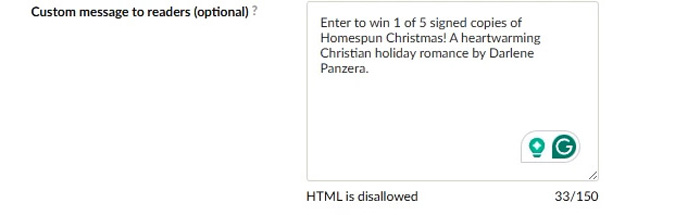
Step 4: Write Your Giveaway Description (Important!)
During setup, Goodreads gives you a field called Giveaway Description. This text appears above your book’s regular Goodreads description on the giveaway page—and it’s one of the most important parts of the listing.
This is not your back-cover copy. Think of it as a short sales pitch designed to convince readers to click “Enter Giveaway.” Many readers will skim this section before scrolling any further.
What to Include in Your Giveaway Description
Keep this section short, skimmable, and reader-focused. A few sentences is perfect.
Your giveaway description should answer:
- What kind of book this is (genre + vibe)
- Who it’s for
- Why it’s worth entering
Fill‑in‑the‑Blank Giveaway Description Templates
Fiction Template
Love [genre] stories with [key vibe or trope]? Enter this Goodreads giveaway for a chance to win [Book Title]—a [tone] novel about [core theme or conflict].
Another Example
Enter to win a copy of [Book Title], a fast‑paced [genre] packed with [stakes, twists, or intrigue]. Perfect for readers who love [comparable style or pacing].
Pro Tip
Avoid copying and pasting your full book description here. Lead with genre and emotional payoff, and keep it readable in under 10 seconds.
Step 5: Review the Giveaway Cost
Goodreads giveaways are not free, so it’s important to understand what determines the cost.
Pricing depends on:
- Format: Print vs. Kindle, and whether you chose the Standard or Premium package.
- Number of copies: How many copies will be provided? If your publisher is supplying them, plan accordingly. This won’t appear in the checkout page, but it is important to consider.
You’ll see the total cost of your giveaway package before checkout. Review all details carefully, because once your giveaway is submitted, changes usually cannot be made.
Step 6: Submit Your Giveaway for Approval
After payment, Goodreads will review your giveaway. Approval usually takes a few days.
Once approved, your giveaway will:
- Appear in Goodreads giveaway listings
- Be visible to readers browsing giveaways
- Receive internal promotion from Goodreads
Step 7: Promote Your Giveaway
Goodreads promotes your giveaway—but you should too.
Share it on:
- Your author newsletter
- Social media platforms
- Your website or blog
The more visibility your giveaway gets, the more shelf adds and entries you’re likely to see.
What Happens When the Giveaway Ends?
When the giveaway closes:
- Winners are selected automatically
- Goodreads notifies the winners
- You’ll receive fulfillment instructions for print copies
Even after the giveaway ends, your book may remain on hundreds (or thousands) of Want to Read shelves.
Do Goodreads Giveaways Increase Book Sales?
Goodreads giveaways work best for:
- Increasing visibility
- Building social proof
- Getting your book onto reader shelves
- Supporting launches and relaunches
They don’t guarantee immediate sales—but they do help with long-term discoverability when paired with other marketing efforts.
Final Thoughts
If you’re looking for a simple way to introduce your book to new readers, a Goodreads giveaway can be a smart addition to your marketing plan. Go in with clear expectations, write a strong giveaway description, and focus on visibility first.
Used strategically, Goodreads giveaways can help your book reach readers who might never have found it otherwise.
We Believe All Authors Can Aspire to Take Their Writing to the Next Level!
Our Goal for Aspiring Writer Academy is to help people learn how to write quality fiction, teach them to publish and promote their work, and to give them the necessary tools to pursue a writing career.
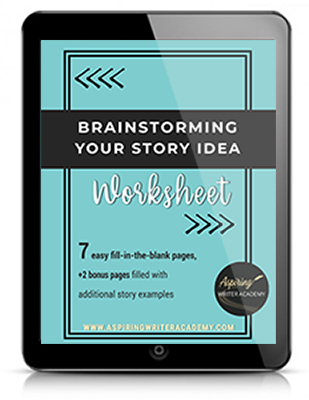
Before You Go… Grab This Free Resource!
If you’re in the early stages of writing your novel, don’t forget to download our free Brainstorming Your Story Idea Worksheet. It includes:
-
Fill-in-the-blank prompts
-
Story structure examples
-
Guided questions
-
Idea-boosting templates
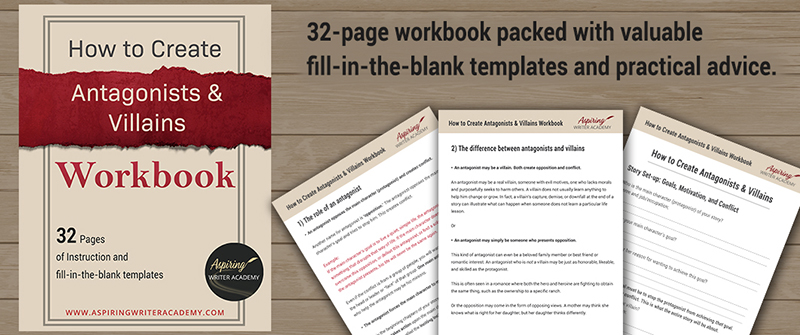
Do you find it difficult to create compelling antagonists and villains for your stories? Do your villains feel cartoonish and unbelievable? Do they lack motivation or a specific game plan? Discover the secrets to crafting villains that will stick with your readers long after they finish your story, with our How to Create Antagonists & Villains Workbook.
This 32-page instructional workbook is packed with valuable fill-in-the-blank templates and practical advice to help you create memorable and effective antagonists and villains. Whether you're a seasoned writer or just starting out, this workbook will take your writing to the next level.
Other Posts You May Like: